How to Write a LinkedIn Bio: Where It Goes and 6 Short Examples

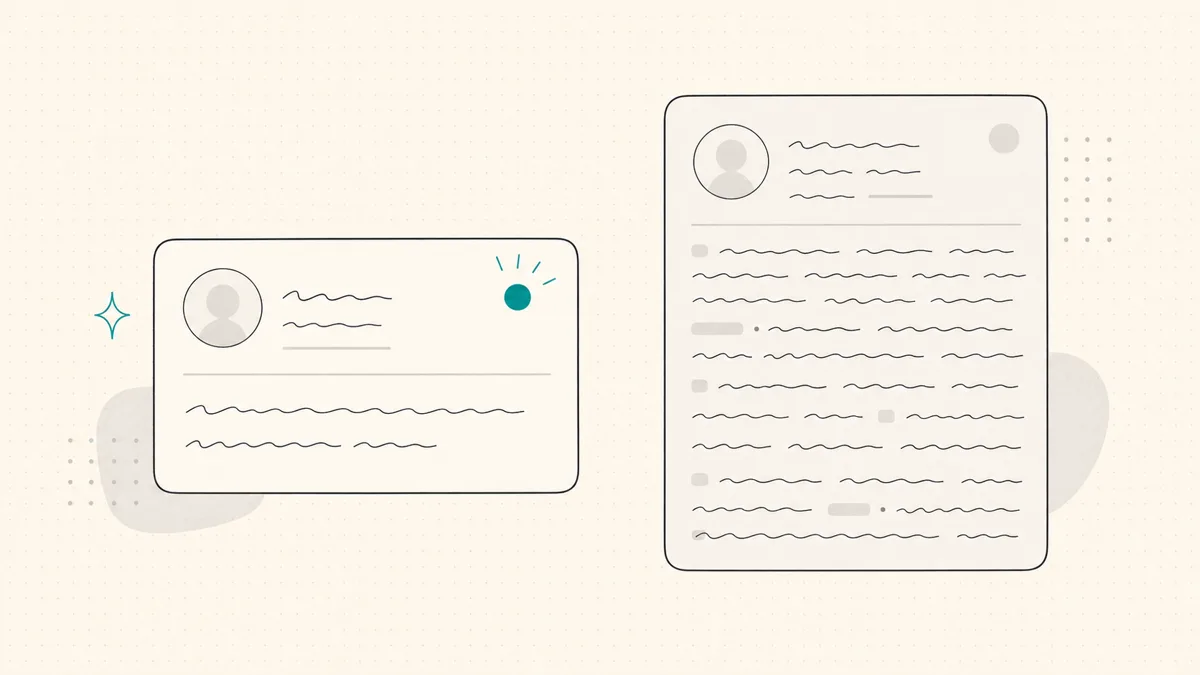
To write a LinkedIn bio, start with your role, explain the work you do, add one fact that supports it, and finish with a relevant next step. Two to four sentences is a useful starting length for a short introduction.
First, choose where it belongs. LinkedIn has a headline under your name and an About section on your profile, not a separate standard field called Bio. A short bio usually becomes the opening of your About. The headline is edited separately. LinkedIn's explanation of the About section
Bio, headline, or About: which are you writing?
On a narrow screen, scroll sideways to read every column.
| Your task | Where the text belongs | What the text should do |
|---|---|---|
| Describe your work in one compact line | Headline, in the profile introduction | Identify your role or specialty and why it is relevant |
| Introduce yourself in a few sentences | Opening of About | Explain your work and one reason to believe you |
| Explain your experience and how to work with you | Full About section | Expand the introduction with evidence and a next step |
| Supply a conference or directory blurb | Outside LinkedIn | Adapt the short bio to the organizer's length and person requirements |
Do not paste a paragraph into the headline because you are looking for a Bio field. If you need a complete About section rather than a short opening, use our LinkedIn summary examples. For the compact line under your name, use the headline examples.
Write the bio from four honest inputs
Before polishing the wording, fill in these four prompts:
- Role: What do you do now, or what work are you moving into?
- Reader and work: Who is the work for, and what do you help them do?
- Evidence: What project, responsibility, experience, or result can you support?
- Next step: What would you like a relevant reader to do, if anything?
The last line can be an invitation to discuss the work, a role you are seeking, or what you write about. A personal detail is optional. It should not take the place of telling the reader what you do.
Here is a structure you can adapt:
I am a [role] working on [specific work] for [audience]. My recent work includes [one fact you can support]. I am interested in [relevant next step or topic].
Remove a slot if it does not fit your situation. A student does not need to pretend to have clients; a founder does not need to add an artificial invitation.
Example: turn a vague claim into an introduction
Before:
Passionate, results-driven professional helping businesses achieve success through innovative solutions.
After:
I am an operations consultant for independent online retailers. I help teams document their returns process so customer support and the warehouse follow the same steps. Before consulting, I managed fulfilment for a homeware brand.
The second version explains the work and a relevant background. This is an invented teaching example, not a claim about a real consultant. Use your own defensible experience; do not adopt the example's background as yours.
Six short LinkedIn bio examples by role
These are original illustrative examples. The roles, experience, and projects are examples of what to include, not credentials to copy. Keep the structure and replace every claim with your own facts.
Founder: explain the product and the problem
I am building payroll software for small businesses that do not have a finance team. My co-founder and I started with the recurring pay mistakes we saw in family-run companies. I share what we learn from simplifying the monthly payroll process.
Use this when the reader needs to understand what you are building before they can judge relevance. Replace the origin story if it is not yours. Avoid claiming customer adoption or revenue you cannot document.
Consultant: name the work a client can recognize
I am an independent operations consultant for online retailers. I help support and warehouse teams agree on a returns process they can run without me. Before consulting, I managed fulfilment for a homeware brand. I am happy to compare notes on where returns work gets stuck.
Use this when you sell a specific service. “I help businesses grow” leaves the reader to guess what you would do on Monday; the returns process is a task they can recognize.
Marketer: show a specialty and a decision you make
I am a lifecycle marketer working on email onboarding and repeat purchases. In my last role, I owned the welcome sequence from signup through the first order. I write about the decisions behind those messages, including when sending less is the better choice.
Use this when your job title covers many disciplines. The responsibility explains your lane without inventing a revenue lift or implying that every campaign succeeded.
Developer: connect technical work to its context
I am a backend engineer working on payment systems. My recent work includes documenting retry behavior so failed requests do not create duplicate charges. I share small design decisions that make services easier to operate and debug.
Use this when a named technical task says more than “passionate about technology.” Check that you can discuss the project publicly; do not reveal an employer's private architecture or incident details.
Student: use a real project instead of an apology
I am a final-year computer science student interested in data engineering. I built a pipeline that cleans public transit data and loads it on a schedule. I am looking for an internship where I can work on data quality and learn from a production team.
Use this when you do not have a long work history. A project gives the reader something concrete to ask about. Link to an appropriate public portfolio elsewhere on the profile if you have one.
Career-changer: explain why the previous work matters
I am moving from nursing into research for healthcare products. Clinical work taught me to ask how a workflow behaves under pressure, not only how it looks on paper. My portfolio now includes an interview study about appointment booking, and I am looking for a junior research role.
Use this when the connection between old and new work is not obvious. The bridge is relevant experience, not a claim that two professions require identical skills.
Where to paste and save your LinkedIn bio
In the About section
On desktop, open Me → View Profile, find About, select its edit icon, paste your text, and select Save.
In the mobile app, tap your profile photo, open your profile, scroll to About, tap its edit icon, enter the text, and save. If you keep profiles in more than one language, check that you edited the intended language version. LinkedIn's About-editing instructions
In the headline
Use the edit icon in the introduction section at the top of your profile, change the Headline field, and save. Editing About does not replace the headline. LinkedIn's introduction-editing instructions
Keep a copy of your old text in your own notes before replacing it. Then reopen the profile after saving; a finished draft in a text box is not the same as an updated profile.
Check length without treating a preview as a platform rule
WriteHero's LinkedIn character counter uses working presets of 220 characters for the headline and 2,600 for About. They are writing checks, not an official limit statement from the Help pages cited above. Confirm the complete text in LinkedIn's actual editor and check whether it saves.
The number of characters visible before a “see more” link is not a fixed bio rule. Screen width, layout, and line breaks can affect what a visitor sees. Do not promise that the first two lines, or a particular character count, will appear everywhere.
After saving:
- Open the profile on desktop and a phone if available. Check the opening without expanding About.
- Make the first sentence useful by itself. It should state your work even if the rest is collapsed.
- Check the expanded text. Look for lost line breaks, repeated words, and placeholders you forgot to replace.
- Check the headline and About together. They should describe the same direction, not competing identities.
- Verify the facts. Remove an unsupported number, employer claim, or outcome before a reader has to question it.
A length counter cannot perform those checks for you.
Common mistakes and the repair
On a narrow screen, scroll sideways to read every column.
| Mistake | Repair |
|---|---|
| “Passionate, dynamic, results-driven” is the main description | Replace an adjective with a task, responsibility, or project |
| The bio contains every role you have held | Keep the experience relevant to what you want to do next; put the rest in Experience |
| An example's impressive number survived the rewrite | Delete it or replace it with evidence you can support |
| You wrote for an audience you do not want | Name the reader or role you intend to attract |
| The text is fluent but could belong to anyone | Add one specific decision, project, or reason behind the work |
| You cannot find a field called Bio | Edit About for the introduction and Headline for the compact line |
If a blank box is the main obstacle, the LinkedIn About generator asks for your role, audience, and optional proof to produce starting drafts. Free use is limited, and a draft still needs your review. It cannot validate achievements or save the text to LinkedIn for you.
For a broader writing workflow, you can try WriteHero for 14 days with your own ideas and posts. The six examples and editing instructions above are usable without signing up.
Choose your next step
Frequently asked questions
Where do I put my LinkedIn bio?
There is no separate field called Bio in the standard LinkedIn profile. Put a short professional introduction at the start of your About section. Edit your headline separately in the introduction section at the top of your profile; it is the text below your name.
How long should a LinkedIn bio be?
For a short introduction, try two to four sentences that state your role, the work you do, and a fact you can support. That is an editorial starting point, not a LinkedIn field limit. Use the actual profile editor to check whether the complete headline or About text fits.
What is the difference between a LinkedIn bio and an About section?
Bio is an informal term for a professional introduction. About is an actual LinkedIn profile section and can contain a longer story, evidence, and a next step. A short bio can open your About; you do not need to fill the whole section just because space is available.
Should I write my LinkedIn bio in first or third person?
First person is a useful default for your own profile because you are introducing yourself. Use third person when adapting the bio for a conference program or company page that follows that convention. Neither is a LinkedIn requirement.
What should I put in a bio if I am a student or career-changer?
Name your direction, a real project or transferable skill, and what you are looking for. Explain the connection between your previous experience and the new work. Do not borrow an example's achievements, employers, or numbers unless they are true for you.
Related guides
Browse Profile ProfileJuly 3, 2026
How to Optimize Your LinkedIn Profile: A Section-by-Section Checklist
A goal-based checklist for your headline, About, photo, Featured work and experience, with evidence and saved-profile checks.
Read more ProfileJuly 3, 2026
LinkedIn Headline Examples: 21 Options by Role
Choose from 21 illustrative headline structures by role, adapt only accurate claims and verify the saved profile on mobile and desktop.
Read more ProfileJuly 3, 2026
LinkedIn Summary Examples: 10 About Sections by Role
Ten illustrative About sections by role, including an accounting example, with a four-part structure and checks for evidence, scope, length and profile language.
Read more
See your first post, in your voice
Paste your LinkedIn profile and WriteHero drafts a post that sounds like you. See it before you sign up, no login needed. Create an account later to save the draft.