LinkedIn Profile Picture: A Practical Guide for People Who Post Under Their Own Name

Before anyone reads your headline or clicks connect, they look at your face. On LinkedIn that face is tiny, and people decide fast whether you look like someone worth talking to. That is not fair, and it is not changing. So make the avatar work for you.
If you post under your own name, whether you are a solo consultant, a fractional exec, a founder, or a creator, your LinkedIn profile picture does quiet work every day. It shows up next to every comment, post, and message. This guide covers the real specs, what makes a photo good, and the mistakes that make people scroll past you.
TL;DR
- 📐 Size and file rules: Your LinkedIn profile picture must be between 400 x 400 and 7680 x 4320 pixels, no more than 8MB, and saved as PNG or JPG.
- 🙂 Be recognizable: The single job of the photo is to make you look like you, so that the person you met at a conference or on a call knows it is you.
- 👀 Face and eyes: Let your face fill a good share of the frame, look toward the camera, and wear an expression a real human would use.
- 🎯 Keep it clean: A soft, uncluttered background and decent light beat any filter or fancy pose.
- 🚫 Skip the classics: No logos instead of a face, no group-photo crops, no heavy filters, no ten-year-old photo.
- 👔 Dress one notch up: Aim slightly above how your audience dresses, not a costume, just a small signal of respect.
- ✍️ Photo and words are separate jobs: WriteHero sharpens the words on your profile, not the picture, and both matter.
Why your LinkedIn profile picture matters more than you think
Trust online is built out of small signals, and your photo is one of the loudest. When someone can see a clear, recent picture of your face, a little guardedness drops. They read your posts as coming from a person instead of an account.
The opposite is also true. A missing photo, a blurry one, or a group shot with three faces cropped out creates hesitation. You do not need to look like a magazine cover. You need to look present and easy to recognize.
This matters even more if your name is your business. A great profile photo will not fix a weak headline, and a strong profile will not rescue a bad photo. They work together. If you are rebuilding the written side too, how to optimize your LinkedIn profile covers the copy, and LinkedIn personal branding covers the bigger picture of showing up as yourself.
The LinkedIn profile picture size and file rules you actually need
Let us clear the technical stuff first. These come from LinkedIn Help, not guesswork.
According to LinkedIn Help's page on why a photo will not upload, here is what your file has to be:
- Maximum file size: 8MB. Most phone photos are under this, but edited exports can creep up.
- Pixel size: between 400 x 400 and 7680 x 4320. So the minimum LinkedIn profile picture size is 400 pixels wide by 400 pixels tall. Anything near that lower edge can still look soft on modern screens.
- File type: PNG or JPG. Those are the standard, reliable options, and a profile photo should be a still image anyway.
LinkedIn also recommends adding a photo that will not require much cropping. In plain terms, start with an image where your face is already centered and close enough, so you are not fighting the crop tool.
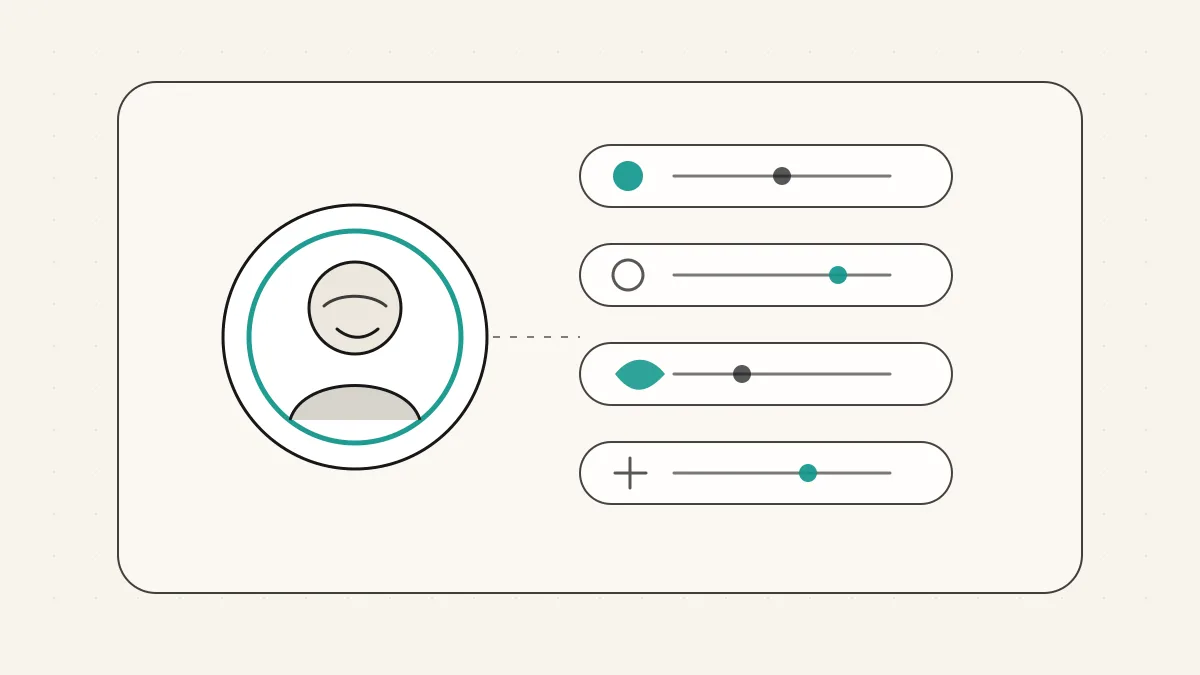
One practical note about shape. In the LinkedIn interface, your profile avatar is displayed as a round circle in most places, next to your posts and comments and in search. LinkedIn does not publish that as a formal spec, so treat it as a real-world observation. Keep the important part of your face away from the corners, because the circle shaves them off.
You can fix a lot after you upload
LinkedIn Help's page on adding, changing, editing, or deleting your profile photo says that once you upload an image, you can do quite a bit inside LinkedIn itself.
After uploading, you can crop the photo, apply photo filters, adjust it, change the position and size, rotate it, and choose who can see it. If your face is a touch too small, you can zoom and reposition. If the horizon is slightly tilted, you can rotate.
Use these tools with a light hand. The crop and position controls are useful. The filters are where people get themselves into trouble.
Your photo gets the first glance. Your profile copy has to earn the next one. WriteHero helps with the words on your LinkedIn profile, not the picture. If you want to check the headline and About section after you update the photo, try the LinkedIn profile analyzer.
What makes a good LinkedIn profile photo
Forget perfection. A good LinkedIn profile photo is about being recognizable and easy to trust. Here is what that looks like in practice.
Let your face fill a good share of the frame. The most common fixable mistake is a face that is too small. At avatar size, a distant figure reads as a smudge. Aim for your head and the top of your shoulders to take up most of the square.
Make eye contact. Looking toward the camera is the closest thing you have to looking a stranger in the eye. It reads as confident and open. Gazing off into the middle distance can look editorial, but on LinkedIn it often looks like you are avoiding the room.
Wear a natural expression. A real, relaxed expression beats a forced one. A genuine small smile works for almost everyone. If a full smile feels fake on you, a calm and warm look is fine.
Choose a clean background. A soft, uncluttered background keeps all the attention on you. A plain wall, some blurred greenery, or a simple indoor setting all work. What you want to avoid is visual noise fighting your face for attention at a tiny size.
Get decent light. You do not need studio gear. You need light on your face, ideally soft and from the front. Standing near a window during the day does most of the work. Avoid harsh overhead light and bright windows behind you.
Dress one notch above your audience. Match the world your clients live in, then nudge it up slightly. If your audience wears t-shirts, a clean sweater is plenty. If they wear suits, dress the part. The goal is respect, not a costume.
Be recent and recognizable. Your photo should look like you as you are now, not you from a job three roles ago. If someone who met you last month would do a double take, the photo is out of date. Recognizability is the whole point.
Common mistakes that make people scroll past
You can get most of the way there by avoiding the usual traps.
- The tiny face. You in a landscape, standing far from the camera. At avatar size, nobody can tell it is you.
- The busy background. A crowded room, a patterned wall, or a shelf of clutter that pulls the eye away from your face.
- The group-photo crop. A stray arm on your shoulder, a cropped-out friend, or the tell-tale sign that this was a wedding photo. It reads as "I could not be bothered to take a real one."
- The heavy filter. Strong color washes, aggressive smoothing, or trendy effects that make you look like a different person or a stock illustration. Subtle is fine. Obvious is not.
- The logo instead of a face. More on this next, but a company logo where your face should be is both against the rules and a missed chance to be human.
- The outdated photo. A picture that is clearly years old creates a small trust gap the moment you meet in person or hop on a video call.
The rules on what your photo has to be
This one is not just about taste. LinkedIn has actual conditions.
LinkedIn Help's profile photo guidelines say your profile photo must reflect your likeness. In other words, it has to be a picture of you. The same page says LinkedIn may remove images that consist solely of things like company logos, emojis, landscapes, animals, words or phrases, flags, childhood or baby photos, other people's likenesses, stock imagery, celebrities, or fictional characters.
So the founder who uses their company mark instead of a face is not just missing a branding opportunity, they are technically outside the guidelines. If you post under your own name to build trust, hiding your face defeats the purpose.
A quick word on your background photo
While we are here, do not confuse your profile picture with your background photo. LinkedIn Help describes the background photo as a separate image that sits behind your profile photo in the introduction section at the top of your profile. It is a second, wider upload, and it is a nice place to reinforce what you do, a simple brand color, a line about your work, or a clean image that fits your field. Treat it as supporting cast. Your face is the lead.
Where the words come in
A recognizable photo gets the first glance. Your words earn the follow, the reply, and the connection. That is where a lot of strong professionals leave value on the table, because their headline is a job title and their About section is a wall of buzzwords.
To be clear about what we do: WriteHero does not touch your photo. There is no magic photo feature here, and we are not going to pretend otherwise. WriteHero helps with the words of your profile, the headline, the About section, and the way you describe what you actually do. The picture is separate.
If you want a second set of eyes on the written side, our LinkedIn profile analyzer reviews your copy and points out where it is working and where it is not. And once your photo makes people stop, a sharper headline keeps them reading, so the LinkedIn headline examples piece is a good next step.
Keep the split honest. Fix the photo yourself so people recognize you. Use WriteHero for the profile words that explain why they should keep reading.
Your simple checklist
You do not need a photographer, a ring light, or a full afternoon. You need a phone, a window, and someone to press the button. Before you upload, ask:
Is my face filling a good share of the square? Am I looking toward the camera? Is my expression recognizable? Is the background calm? Is the light on my face? Am I dressed one notch above my audience? Does this look like me right now?
Related reading
- How to optimize your LinkedIn profile, for fixing the sections around the photo.
- LinkedIn personal branding, for connecting your profile and content into one recognizable presence.
- LinkedIn headline examples, for the line people read after your photo.
- LinkedIn profile analyzer, for checking the written parts of your profile after the visual first impression is handled.
If you can answer yes to those, upload it. Save it as a PNG or JPG no more than 8MB, at least 400 pixels on each side, adjust the crop inside LinkedIn, and move on with your day. A good LinkedIn profile picture is not the one that took the most effort. It is the one that makes you easy to recognize and easy to trust, so the rest of your profile gets the chance to do its work.
Choose your next step
Frequently asked questions
What is the correct LinkedIn profile picture size?
Per LinkedIn Help, your profile photo must be between 400 x 400 pixels and 7680 x 4320 pixels, with a maximum file size of 8MB. Use a PNG or JPG.
What file types does LinkedIn accept for a profile photo?
Use a PNG or JPG. JPG is best for photographs, and PNG suits graphics with hard edges. Keep the file no more than 8MB so it uploads without trouble.
Can I edit my LinkedIn profile picture after I upload it?
Yes. LinkedIn Help says that after uploading you can crop the photo, apply photo filters, adjust it, change the position and size, rotate it, and set who can see it.
Can I use a logo or an illustration instead of my face?
No. LinkedIn's profile photo guidelines say the photo must reflect your likeness, and the platform may remove images that are only company logos, emojis, landscapes, animals, words, celebrities, or fictional characters.
Is the LinkedIn background photo the same as the profile picture?
No. LinkedIn Help describes the background photo as a separate image that sits behind your profile photo in the introduction section. They are two different uploads.
Related guides
Browse Profile ProfileJuly 3, 2026
How to Optimize Your LinkedIn Profile: A Section-by-Section Checklist
A goal-based checklist for your headline, About, photo, Featured work and experience, with evidence and saved-profile checks.
Read more ProfileJuly 3, 2026
LinkedIn Headline Examples: 21 Options by Role
Choose from 21 illustrative headline structures by role, adapt only accurate claims and verify the saved profile on mobile and desktop.
Read more ProfileJuly 3, 2026
LinkedIn Summary Examples: 10 About Sections by Role
Ten illustrative About sections by role, including an accounting example, with a four-part structure and checks for evidence, scope, length and profile language.
Read more
See your first post, in your voice
Paste your LinkedIn profile and WriteHero drafts a post that sounds like you. See it before you sign up, no login needed. Create an account later to save the draft.