Supergrow Alternative: Which LinkedIn Tool Fits Solo Consultants Better?

If you are a solo consultant, fractional exec, or founder posting for yourself, the question is not which LinkedIn tool has the longest feature list. It is which one gets you from blank page to a draft that still sounds like you.
For the wider market map, we also keep a practical roundup of the best AI tools for LinkedIn posts, including the tools this Supergrow comparison touches.
Ghostwriters have a version of the same problem, but with more voices to keep separate. We will get there second.
TL;DR
- 🔎 The category looks samey from the outside. Reddit buyers routinely say these tools blur together, so the thing worth comparing is the mechanism, not the feature checklist.
- 🎯 Best for you if you post for yourself (solo consultant, fractional exec, founder) and want drafts that sound like you, not a house style.
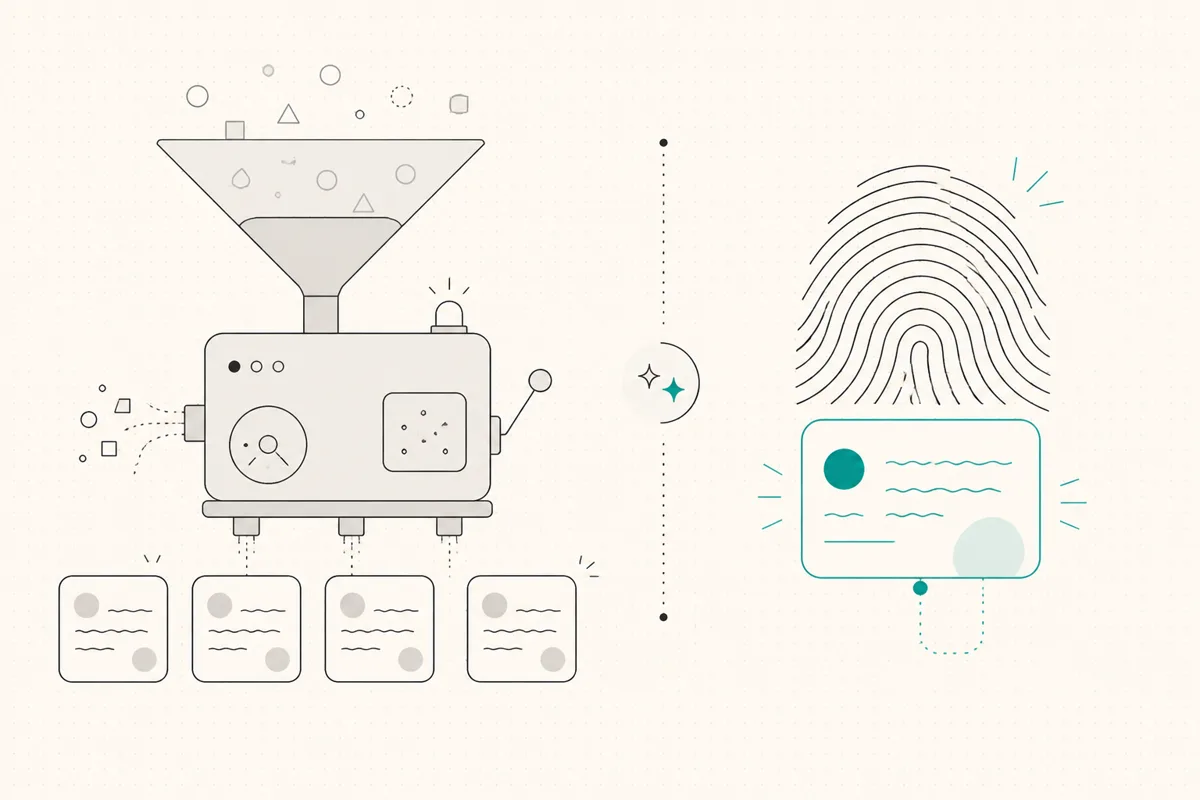
- 🧬 The real dividing line is workspace versus voice. Supergrow organizes a multi-account content operation. WriteHero drafts one person's posts from their real post history.
- 🏆 Our pick for voice: WriteHero learns your voice from your actual LinkedIn posts, then writes in it. Pro is $49/mo for one profile.
- 💸 Supergrow is cheaper on paper ($19 to $139/mo) and packs more workspace tools, so choose it if organization, repurposing, and team approvals are the real bottleneck.
- 👥 Running clients or a team? Supergrow's Teams plan has approval workflows and a shared dashboard. WriteHero's Ghostwriter tier ($99/mo, up to 10 profiles) keeps each client's voice separate at a flat price.
- 🔒 Both connect safely. Neither automates your browser the way an extension does, so account safety is parity, not a tiebreaker.
Why are people looking for a Supergrow alternative?
Supergrow is a genuinely good tool. It shows up in "what do you actually pay for" threads and in alternative round-ups, which is a healthy sign for any product. One person on r/linkedin, asked for a Taplio alternative, answered simply:
supergrow or highperformr
So the search for a "supergrow alternative" is rarely about Supergrow being bad. It is usually one of three things.
The category feels interchangeable. Spend an hour reading LinkedIn tool threads and the tools start to blur. One reviewer summed up a year of testing:
Seems in the last 12 months a million LinkedIn content tools have popped up. I've tried Taplio, AuthoredUp, Inboundr ai, ideogram, Supergrow, and some custom GPTs. I'd give Inboundr the edge at the moment.
The same person, in another thread, made the point even more directly:
I've tested Taplio, AuthoredUp, SuperGrow, SuperPen, and they are all pretty similar. For content I would vote Inboundr ai and for outreach I would vote La Growth Machine. Both cost effective tools.
When buyers say tools are "all pretty similar," they are telling you something useful: the feature lists have converged, so the only thing that separates one from another is the mechanism underneath. For a writing tool, that mechanism is how it captures voice.
Price sensitivity. These are recurring subscriptions, and people notice. In a social-media-tool thread, one commenter grouped the pricier options together:
You looking for a platform to be able to post on LinkedIn? Buffer (freemium & economical). Supergrow, Taplio a bit pricey. Even Typefully has LinkedIn integration.
Pricing perception shifts over time, so treat that comment as a signal about sensitivity, not as the current price. We list the real numbers below.
Fit. This is the big one, and it is the reason most people who type "supergrow alternative" into a search bar are not actually unhappy. Supergrow is built to organize a content operation across accounts. If you are one person who mostly needs drafts that sound like you, a lot of that workspace machinery is surface area you will not touch, and voice is the part you care about most.
What does Supergrow do well?
Give the tool its due, because plenty of people happily pay for it. Asked what SaaS he actually pays for every month, one founder listed it next to the usual staples:
Canva. Chatgpt. Supergrow (for Linkedin)
Here is where Supergrow is strong, based on its live pricing page and feature list.
It is a real content workspace. The individual plans (Starter and Pro) bundle Content DNA voice capture, post repurposing, scheduling, a Kanban board, and an auto first-comment. The Pro plan adds unlimited Postcast AI interviews, a carousel maker, an infographic generator, the Supergrow MCP, and profile analytics. That is a lot of surface area for organizing and producing content.
It has a named voice mechanism. Content DNA is Supergrow's attempt to capture a writing style so drafts stay on-brand. Naming the mechanism is smart, and it does the job of reassuring buyers that output will not be generic.
It is built for teams and agencies. The Teams plan ($139/mo) adds four accounts, an organization dashboard, approval workflows, team analytics, and weekly reports. If you run content for a group and need review and sign-off, that is a real workflow most voice-first tools do not have.
It onboards without your LinkedIn credentials. Supergrow uses credentials-free onboarding, so you are not handing over a password, and it is not a browser extension automating clicks in your account. That matters for safety, and we will come back to it.
If your honest bottleneck is organizing and shipping a steady stream of content across accounts, Supergrow is a strong pick and this article is not trying to talk you out of it.
Where does a Supergrow alternative need to be different?
If you are still reading, your bottleneck probably is not organization. It is that the draft does not sound like you. So the criteria that matter for a Supergrow alternative are narrower than a generic feature comparison.
Voice from your real writing, not a style setup. The test is where the tool learns your voice. A style captured during onboarding is a reasonable start, but it is not the same as a profile built from the posts you have actually published. The proof is in the first draft: does it come back close to ready, or does it need a full rewrite? If you are editing as much as you would have written from scratch, the tool is adding a step, not removing one.
One person's voice, done well, over many features you will not use. Repurposing engines, Kanban boards, and infographic generators are useful if you run an operation. If you are a single consultant, they are line items you pay for and ignore. The question is whether you want to pay for a workspace or for a draft that sounds like you.
Pricing that matches how many voices you actually need. If you write for exactly one person, yourself, you do not need per-account team tooling. If you write for ten clients, you need each voice kept separate without the bill multiplying per seat.
A safe, official LinkedIn connection. This is table stakes now, and it is where the older extension-based tools lose. If you have read our Taplio alternative breakdown, you know the risk: a Chrome extension that automates your browser can trip LinkedIn's daily action limits and get an account flagged. If Taplio is still on your shortlist, the direct Taplio vs Supergrow comparison shows how breadth and workspace structure split. Supergrow and WriteHero both avoid browser automation, so account safety is parity between them, not a wedge.
Your LinkedIn posts should sound like you. WriteHero learns your voice from your real LinkedIn posts, then writes in it. 7-day free trial, no credit card. Start free →
Is WriteHero the best Supergrow alternative for solo consultants?
Full disclosure: this is our tool. Here is the honest version.
WriteHero is narrow on purpose. When you add a profile, it reads that person's real LinkedIn post history once and learns the patterns that make the writing theirs: sentence length, how a post opens, vocabulary, line breaks, one-word paragraphs versus dense blocks. From then on, every draft is generated in that voice profile. The goal is not a workspace. The goal is a draft you barely have to touch.
A ghostwriter described the difference that makes on Trustpilot:
I write LinkedIn posts for a handful of clients, and the usual headache with AI is everything ends up sounding the same. WriteHero learns each client's voice from their real posts, so the drafts come back close enough that I'm editing a few lines instead of rewriting from scratch.
That is the whole idea: turn a rewrite into a light edit.

A few specifics that matter for someone weighing this against Supergrow:
- Voice learned from your real posts. The profile is built from what you have actually written, not from a style you configure at setup. For one person, that is the entire value.
- Official LinkedIn OAuth, no extension, no cookie auth, no action limits. You connect through LinkedIn's own authorization flow. There is no browser extension automating clicks and no per-day action cap to trip.
- Profiles that stay separate. Pro gives you one voice profile from your own posts. Ghostwriter ($99/mo) gives you up to 10, one per client, so a founder's clipped one-liners do not seep into a consultant's long-form.
- The production basics are covered. Unlimited posts, scheduling and auto-publish, PDF carousels for document posts, a post preview before you publish, and analytics for impressions, engagement, and follower growth.
- 7-day free trial, no credit card. Nothing charges unless you decide to keep going, because there is no card on file to surprise you.
Pricing. Pro is $49/mo and covers one voice profile. Ghostwriter is $99/mo and covers up to 10 voice profiles, one per client.
What it does not do. WriteHero does not ship a lead workflow, a post-repurposing engine, an infographic generator, or a team approval dashboard. If those are central to how you work, Supergrow covers more of that surface area. WriteHero spends its effort on one thing: the draft sounding like the person posting.
Best for: solo consultants, fractional executives, and founders who post for themselves and want drafts that sound like them, plus ghostwriters whose main problem is keeping client voices distinct.
How do WriteHero and Supergrow compare?
The comparison below is a head-to-head, because for this decision those are the two tools most people are weighing. Prices are from each product as of July 2026, so check the live pages before you buy.
| WriteHero | Supergrow | |
|---|---|---|
| Voice mechanism | Learns your voice from your real LinkedIn post history, then drafts in it | Content DNA style capture, configured during setup |
| What it optimizes for | Voice first: the draft should already sound like you | Workspace first: organize, repurpose, and schedule across accounts |
| LinkedIn connection | Official LinkedIn OAuth, no extension, no cookie auth, no daily action limits | Credentials-free onboarding, no browser extension |
| Account safety | High (official connection) | High (no extension automation) |
| Formats | PDF carousels, post preview, scheduling, auto-publish | Carousel maker, infographic generator (Pro), Kanban, post repurposing, auto first-comment |
| Analytics | Impressions, engagement, follower growth | Profile analytics (Pro), weekly report |
| Team and agency | Up to 10 per-client voice profiles (Ghostwriter), flat price | Teams plan: 4 accounts, org dashboard, approval workflows, team analytics |
| Pricing | $49/mo Pro (1 profile), $99/mo Ghostwriter (up to 10). 7-day trial, no card | $19 Starter, $39 Pro, $139 Teams (annual $16 / $31 / $133). 7-day trial |
| Best for | One person who wants posts that sound like them | An organized multi-account content workspace |
Read that table the honest way. Supergrow gives you more tools for less money if what you need is a workspace. WriteHero costs more for a narrower promise: that the first draft sounds like you, learned from how you already write. Neither is "better" in the abstract. They are optimized for different bottlenecks.
What should ghostwriters and teams choose?
This is the one place the answer genuinely splits, so it is worth being precise.
If your bottleneck is operations, that a team needs to draft, review, approve, and ship without stepping on each other, Supergrow's Teams plan is built for exactly that. An organization dashboard, approval workflows, and team analytics are real coordination features, and WriteHero does not have a team approval layer.
If your bottleneck is voice, that every client is supposed to sound like a different specific person and the drafts keep coming back generic, that is what WriteHero's Ghostwriter tier is for. Ten per-client voice profiles, each learned from that client's real posts, at a flat $99/mo that does not multiply as you add clients.
Plenty of ghostwriters care about both. Be honest about which one is actually costing you time this month, and pick for that.
Which Supergrow alternative should you pick?
A short decision guide.
- You post for yourself and the drafts do not sound like you. WriteHero Pro at $49/mo learns your voice from your own posts. This is the case WriteHero is built for.
- Your real problem is organizing and shipping content across accounts. Supergrow. The workspace, repurposing, and calendar are the point, and the individual plans are cheaper.
- You want the most features for the lowest individual price. Supergrow, clearly. Starter is $19/mo and Pro is $39/mo with a long feature list.
- You run a team that needs review and approval. Supergrow Teams ($139/mo) has the dashboard and approval workflow. WriteHero does not.
- You are a ghostwriter and every client sounds the same in drafts. WriteHero Ghostwriter ($99/mo, up to 10 voice profiles) keeps each voice separate at a flat price.
- Account safety is your worry. Either one. Both connect without a browser extension, unlike the older tools covered in our Taplio alternative comparison.
- You want a verified publishing workflow more than a workspace. Compare the MagicPost alternative angle before you commit.
- You mainly need formatting after you write. The AuthoredUp alternative breakdown covers that narrower editor-first job.
The tools are not mutually exclusive, and the category really does have a lot of overlap. Pick for your single biggest bottleneck, run the free trial with your own posts, and judge the first draft. That draft tells you more than any feature list.
Related reading
- Best AI tools for LinkedIn posts, the full roundup and how the cluster compares.
- Taplio alternative, for the older extension-based tool and why account safety keeps coming up.
- Taplio vs Supergrow, for the direct choice between a broad creator suite and an organized workspace.
- MagicPost alternative, for comparing workspace depth with a verified publishing workflow.
- AuthoredUp alternative, for the formatting-first path when the draft is already written.
- RedactAI alternative, for a cheaper growth-framed generator with post limits to watch.
- SocialSonic alternative, for the broader viral-growth platform angle.
Frequently asked questions
What is the best Supergrow alternative for solo consultants?
If you post for yourself and your main problem is drafts that do not sound like you, WriteHero is the closer fit. Its Pro plan at $49/mo learns your voice from your real LinkedIn post history and drafts in it, so you edit a few lines instead of rewriting. Supergrow is strong if your bottleneck is organizing and scheduling content across several accounts rather than voice.
How much does Supergrow cost?
As of July 2026, Supergrow lists three plans on its pricing page: Starter at $19/mo, Pro at $39/mo, and Teams at $139/mo, with annual pricing shown as $16, $31, and $133 per month. There is a 7-day free trial. Starter and Pro are individual plans, Teams adds four accounts and an organization dashboard with approval workflows. Always check the live pricing page before you buy.
Is WriteHero cheaper than Supergrow?
No. Supergrow's individual plans start lower ($19 to $39/mo) and bundle more workspace features like a Kanban board, post repurposing, and an infographic generator. WriteHero Pro is $49/mo for one voice profile, and the Ghostwriter tier is $99/mo for up to 10 profiles. You are paying for a narrower thing: drafts that already sound like the person posting.
How does Supergrow's Content DNA compare to WriteHero's voice learning?
Both aim at the same outcome, drafts that sound on-brand. The difference is the mechanism. WriteHero learns from your real LinkedIn post history, so the profile is built from how you already write. Supergrow's Content DNA captures a writing style during setup. During a trial, test each with your own posts and judge how much editing the first draft needs.
Is Supergrow safe for my LinkedIn account?
Supergrow uses credentials-free onboarding and is not a browser extension that automates clicks in your account, so it avoids the per-day action limits that get extension-based tools flagged. WriteHero connects through official LinkedIn OAuth with no extension, no cookie auth, and no daily action limits. On account safety the two are at parity. The real risk sits with extension-based tools.
What should a ghostwriter or agency team choose?
It depends on your bottleneck. If you run a team and need an organization dashboard, approval workflows, and team analytics, Supergrow's Teams plan is built for that. If your problem is keeping each client's voice distinct so drafts come back close to ready, WriteHero's Ghostwriter tier ($99/mo, up to 10 voice profiles, flat price) is built for that.
Does WriteHero do everything Supergrow does?
No, and it is not trying to. WriteHero handles voice learning, drafting, scheduling, auto-publish, PDF carousels, post preview, and analytics. It does not ship a lead workflow, a post-repurposing engine, an infographic generator, or a team approval dashboard. If those are core to how you work, Supergrow covers more surface area. If voice is your bottleneck, WriteHero is the narrower fit.
More in Tools & Comparisons
View all
Tools & ComparisonsJuly 3, 2026Taplio Review: Is Taplio Worth It in 2026?
A fair Taplio review that separates what users praise from what they criticize, with verified pricing, real VOC quotes, and a voice-first alternative path.
Read more
Tools & ComparisonsJuly 2, 2026Taplio vs Supergrow: Which LinkedIn Tool Fits Solo Consultants?
Taplio is an all-in-one creator suite. Supergrow is an organized multi-account workspace. Here is how they compare on voice, safety, and pricing, and where a voice-first tool fits.
Read more
Tools & ComparisonsJuly 2, 2026Taplio vs AuthoredUp: Two Different Tools for Different Jobs
Taplio is a broad AI creator suite. AuthoredUp is a formatting, preview, and analytics tool, not an AI writer. Here is how they compare, and where a voice-first drafting tool fits.
Read more
See your first post, in your voice
Paste your LinkedIn profile and WriteHero drafts a post that sounds like you. See it before you sign up, no login needed.