LinkedIn post examples: Copy-Paste Templates for Every Occasion

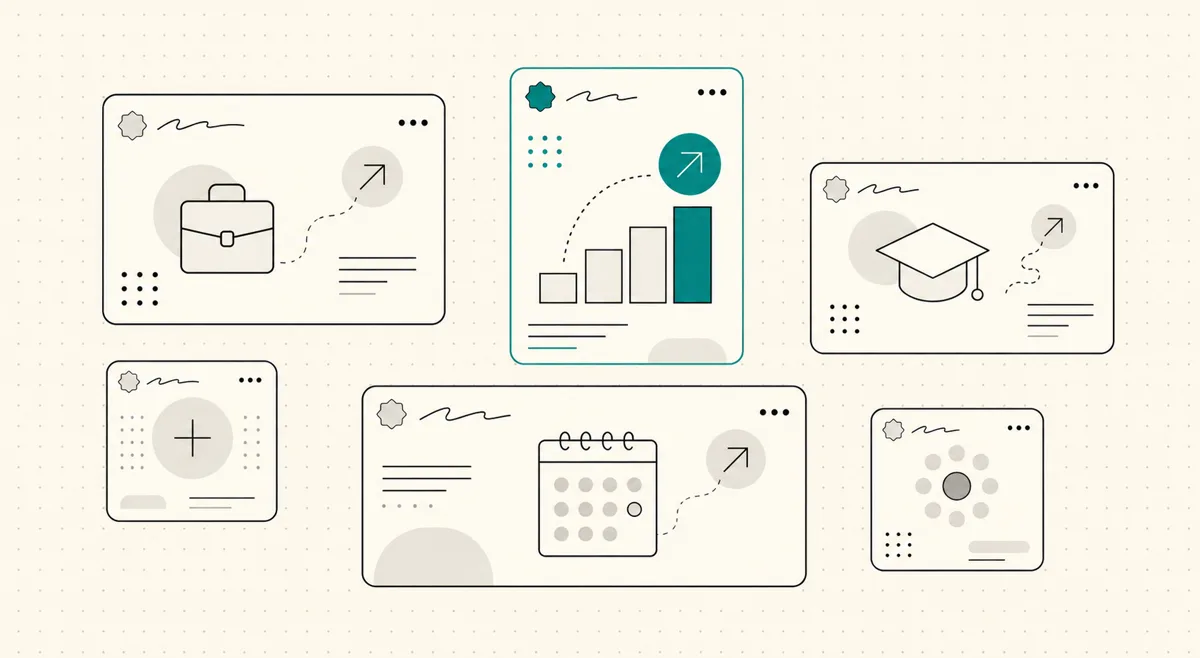
Most people freeze on LinkedIn for the same reason they freeze writing a recommendation: the blank box. You know the moment is worth posting about, a new job, a promotion, a hire you need to fill, but the phrasing feels either too stiff or too much. So the post either never gets written or comes out as a wall of corporate gratitude that reads like everyone else's.
A post that actually gets read does three simple things. It says one thing, not five. It opens with a line specific enough to survive the feed, because only the first two lines show before "see more". And it has a shape you can reuse. Below are LinkedIn post examples for the occasions people actually post about, each written out so you can copy the structure, plus a one-line note on why it works. Any names, companies, and numbers are placeholders to show the shape of a real detail, not claims about real people. If you would rather react to a draft than start cold, our LinkedIn post generator writes a first version from a few honest inputs.
TL;DR
- 🪝 The first two lines carry the post. The feed shows about 210 characters before "see more", so open with the news or a hook, not "I am excited to share".
- 🎯 One post, one idea. A new job, a lesson, a hire. Trying to say three things says none of them.
- 📏 Short lines, real paragraphs. White space is not decoration; it is what makes a post readable on a phone.
- 🙏 Personal posts take a soft close. A thank-you or an open question beats a hard call to action on a new-job or anniversary post.
- 🧩 Borrow the skeleton, not the words. Copy the structure of an example and fill it with what is actually true for you.
- 👀 Check how it looks before you post. Line breaks and the "see more" cut land differently than they do in the editor.
What makes a LinkedIn post work?
Nearly every post that gets read, whatever the occasion, follows the same simple shape. You can compress it, but each part earns its place.
On a narrow screen, scroll sideways to read every column.
| Part | What it does | Where it goes |
|---|---|---|
| Hook | Makes a reader stop scrolling | First one or two lines, before "see more" |
| One idea | The single thing the post is about | The body |
| Specific detail | The proof that it is real, not generic | The middle |
| Soft close | A thank-you, a question, or a light next step | Last line or two |
The part people get wrong is the hook. It is tempting to open with "I am thrilled to announce" or "I am humbled to share", but those are the exact words every other post uses, so a reader's eyes slide past them and never tap "see more". Lead with the actual news or a concrete detail instead, and let the warmth come after. Now the examples.
LinkedIn new job post examples
A new job post has a job to do beyond celebration: it tells your network what you do now, so the right people can reach you. Lead with the role and company, thank people briefly, and say one honest thing about why you took it. These are the new job LinkedIn post examples to start from.
Straightforward announcement
I have joined Northwind as a Senior Product Designer.
After four years at my last company, I was not really looking. Then I met the team here and kept thinking about the problem they are solving for small clinics, which is the kind of unglamorous, high-stakes work I want to do.
Thank you to everyone who talked me through the decision, you know who you are. If you work in healthcare product and want to compare notes, my inbox is open.
Career-switch version
New job, new field: I am now a UX Researcher at Beacon, after eight years as a nurse.
People keep calling this a big leap. It does not feel like one. I spent those eight years watching what people actually do under stress versus what they say they will do, which turns out to be most of the job.
Grateful to the mentors who told me the clinical background was an asset, not a gap. If you hire researchers and want someone who has sat with people on their worst day, let us talk.
Why it works: the first line is the news, not the excitement. The one honest reason (the problem, the reframe) is more memorable than a list of thank-yous, and the soft close tells the right reader exactly what to do.
LinkedIn promotion post examples
A promotion post is easy to get wrong by making it all about you. The fix is to point outward: credit the work and the people, and say what the new role means, not just what the title is. These LinkedIn promotion post examples keep it grounded.
Grateful and specific
I have been promoted to Engineering Manager at Vale.
The honest version: I spent the last year slowly learning that my job was no longer to write the best code in the room but to make sure the room could write it without me. That was harder than any technical problem I have shipped.
Thank you to the team who let me practice on them, and to the manager who told me delegation was not losing control. Excited for what we build next.
Short and human
Update: I am now Head of Content at Meridian.
Same team, bigger swing. We are going to try some things that might not work, which is the part I am most looking forward to. More soon.
Why it works: it credits the people and names a real lesson instead of just the new title. The short version proves a promotion post does not need to be long to land; one specific line of intent does more than a paragraph of gratitude.
LinkedIn graduation post examples
A graduation post is a genuine milestone, and it is also a quiet signal to recruiters that you are available. Say what you finished, one thing you are taking from it, and what you are looking for next. These LinkedIn graduation post examples do both without overdoing it.
New graduate, open to work
I graduated this week with a degree in Computer Science from State University.
The thing I did not expect to value most: the group projects that went badly. Learning to ship something with four people who disagree turned out to be more useful than any single lecture.
I am now looking for a first role as a software engineer, ideally on a team that builds for real users. If that is you, or you know them, I would love an introduction.
Career milestone, part-time study
Three years, a full-time job, and a lot of late nights later: I have finished my MBA.
I will not pretend it was smooth. What kept me going was applying each thing the following Monday at work, so none of it stayed theoretical.
Thank you to my team and my family for covering the gaps. On to the next thing.
Why it works: the milestone is stated plainly, then one specific takeaway makes it personal rather than generic. For the new graduate, the soft close doubles as a clear, low-pressure ask that recruiters can act on.
We're hiring LinkedIn post examples
A hiring post competes with every other job ad in the feed, so the generic "We are hiring, apply here" gets ignored. Lead with who you want and why the role is good, write like a person, and make the next step obvious. These we're hiring LinkedIn post examples and hiring post examples give you two angles.
The honest role pitch
We are hiring a Customer Success Lead at Orbit, and I want to be straight about the job.
It is early. You will build the playbook, not inherit one. You will talk to customers who are counting on us and sometimes frustrated with us. If that sounds draining, this is not your role. If it sounds like the good part, keep reading.
What you get: real ownership, a team that ships, and a founder who answers Slack. Remote, and we will pay fairly for the level. Link in the comments, or message me directly with a question first.
The quick, warm version
My team is growing and I could not be happier about it.
We are looking for a Backend Engineer who likes clean systems and boring reliability over shiny rewrites. Mid to senior, remote within EU time zones.
If that is you, or you know the person, send them my way. I read every message.
Why it works: it describes the actual job, including the hard parts, which filters for the right person and reads as honest. The close invites a direct message, which lowers the friction of asking a first question before applying.
Work anniversary post examples
The auto-generated "Congratulate X on their work anniversary" prompt is why most anniversary posts get ignored. If you are going to post, add something the auto-prompt cannot: one specific thing that changed for you in that time. These work anniversary post examples turn a formality into a real reflection.
One lesson from the year
Two years at Harbor today.
If I had to name one thing that changed: I stopped trying to have the answer in every meeting and started asking better questions instead. Slower, and much more useful.
Grateful to the people who were patient while I figured that out. Here is to the next one.
Team-first version
Five years at Lumen this month, which is longer than I have stayed anywhere.
The reason is not the perks. It is that I have watched people here disagree hard in a room and still ship together the same week. That is rarer than it should be.
Thank you to everyone I have gotten to build with. Still glad I stayed.
Why it works: it replaces the empty "time flies" note with one concrete lesson or reason, which is the only thing that makes an anniversary post worth reading. The gratitude is specific to people, not a blanket thank-you.
First LinkedIn post examples
Your first post, or your first after years of lurking, has an unusual freedom: no one expects a performance. The best move is to say who you are, what you will write about, and why now, then stop. These first LinkedIn post examples make starting easy.
The reintroduction
I have been on LinkedIn for years and posted almost nothing. Changing that today.
I lead operations at a logistics company, and I have opinions about the unglamorous parts, warehouse flow, returns, the software nobody likes, that I never see discussed honestly here. So I am going to write about them.
First real post coming this week. If that is your world too, say hi in the comments so I know who I am writing for.
The clear-lane introduction
Hello LinkedIn. Quick introduction, since I plan to actually use this now.
I am a freelance UX writer. I write the words inside products: onboarding, empty states, the error messages you only notice when they are bad. I will share what I learn from real projects, the wins and the ones that flopped.
If you build software and care about the small copy that decides whether people stick, we will get along. More soon.
Why it works: it sets a clear expectation of what you will post about, which is the honest contract with a new reader, and ends with a light invitation instead of a hard ask. Naming a specific lane makes the follow decision easy.
How to write your own LinkedIn post
Do not copy an example word for word; borrow its skeleton. Take the shape (hook, one idea, a specific detail, a soft close) and fill it with what is actually true for you. A workable order of operations:
- Put your hook in the first 210 characters. That is roughly all that shows before "see more" in the feed. Lead with the news or the sharpest line, and cut any warm-up like "I am excited to share".
- Say one thing. Pick the single idea the post is about. If you find yourself adding a second, that is your next post, not this one.
- Break it into short lines. White space is what makes a post readable on a phone. One or two sentences per paragraph, with real breaks between them.
- End with a soft close. A thank-you, a real question, or a light next step. Save hard calls to action for posts where the reader expects them.
- Look at it before you post. Line breaks and the "see more" cut land differently than they do in the editor, so preview the real thing.
Two quick checks before you hit post. Paste the draft into the LinkedIn post preview tool to see exactly where the "see more" cut falls and whether your line breaks survive. And if you are near the ceiling, the LinkedIn character counter confirms you are under the 3,000-character limit and shows where the mobile cutoff lands. Once the shape is right, what turns one good post into steady reach is doing it consistently, which is what LinkedIn content strategy and LinkedIn impressions are about.
If the blank box is what stops you, reacting to a draft is easier than writing from nothing. Our LinkedIn post generator produces a first version from a few honest inputs that you can rewrite in your own voice.
Your LinkedIn posts should sound like you. These examples give you the shape. WriteHero helps you fill it in your own voice, so posting stops being the thing you dread each week. Start free
Related reading
- LinkedIn content strategy, how to turn one good post into a habit that compounds.
- LinkedIn impressions, what actually drives reach and what to ignore.
- LinkedIn post generator, draft a post from a few honest inputs.
- LinkedIn post preview, see the "see more" cut and line breaks before you post.
- LinkedIn character counter, check the 3,000-character limit and the mobile cutoff.
Choose your next step
Frequently asked questions
How long should a LinkedIn post be?
There is no single right length. Most personal announcement posts only need a few short paragraphs, and the LinkedIn post limit is 3,000 characters. What matters more than total length is the first 210 characters, because that is roughly all a reader sees before the 'see more' cutoff in the feed. Say one thing, break it into short lines, and stop when you have made your point.
What is the best time to post on LinkedIn?
There is no universal best time to post on LinkedIn. Your audience, time zone, and posting habit matter more than a generic schedule. Start with a sensible workday slot when your readers are likely to check the feed, then watch your own posts and repeat what works. Posting consistently at a reasonable time beats chasing a perfect hour.
How do I write a good hook for a LinkedIn post?
Put the most specific or surprising line first, since only the first two lines show before 'see more'. Skip the throat-clearing like 'I am excited to share' and open with the actual news, a sharp opinion, or a concrete detail. A good test: if you deleted the first line, would the post lose anything? If not, your real hook is line two, so move it up.
How many hashtags should I use on a LinkedIn post?
Use a small number of relevant hashtags, usually one to three, and put them at the end of the post. Pick terms that describe the topic rather than stuffing every possible category into the close. The post itself does the work; hashtags are just a small assist.
Should every LinkedIn post have a call to action?
Not every post, but most benefit from a soft one. A call to action can be as light as a real question that invites a reply, or an offer to send something useful. Avoid the hard sell in a personal post like a new-job or anniversary announcement; there, a simple thank-you or an open question is enough. Save direct asks for posts where the reader expects them.
Can I reuse these LinkedIn post examples?
Yes, borrow the structure, not the words. Each example here is a skeleton: a hook, one idea, a short story or specific detail, and a soft close. Copy that shape and fill it with what is actually true for you. Posts that get copied word for word read as generic, and readers can tell. The specific detail you add is the whole point.
Related guides
Browse Writing WritingJuly 3, 2026
How to Write a LinkedIn Post That Sounds Like You
A practical guide to writing LinkedIn posts that earn attention without sounding generic: hook, body, takeaway, voice, formatting, and final checks.
Read more WritingOctober 3, 2026
How to Schedule LinkedIn Posts and Find Scheduled Posts
A practical guide to LinkedIn's native scheduler, including where scheduled posts live, how to edit them, and what to check when the clock or a post is missing.
Read more- WritingOctober 3, 2026
LinkedIn Drafts: Where to Find, Save and Recover Your Post
Post drafts and article drafts live in different places. Find the right one, keep a safe copy, and avoid discarding work while looking for a scheduled post.
Read more
See your first post, in your voice
Paste your LinkedIn profile and WriteHero drafts a post that sounds like you. See it before you sign up, no login needed. Create an account later to save the draft.