LinkedIn for Consultants: How to Turn It Into a Trust and Pipeline Channel

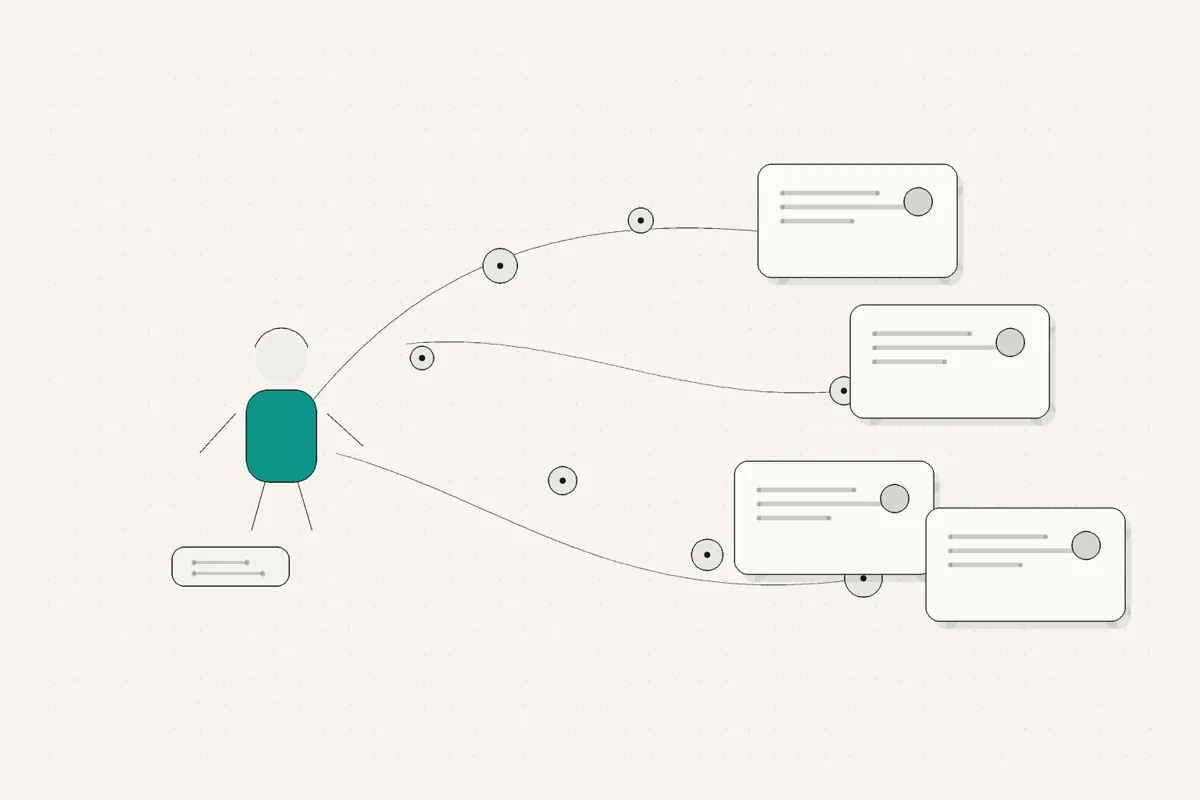
If you are a consultant, coach, or freelancer posting under your own name, LinkedIn is not a hobby or a creator side quest. It is where your buyers check whether you are worth a conversation. A referral sends someone to your profile. A prospect reads a few of your posts before a first call. Someone who met you at a conference looks you up a month later. LinkedIn for consultants works when all of that quietly adds up to trust, so that when a buying moment appears, you are the name that comes to mind.
That is a different job than the one most LinkedIn advice is written for. This guide is about the version that fits a busy independent professional: profile, positioning, what to post, and a rhythm you can actually hold.
TL;DR
- 🧭 LinkedIn for consultants is a trust system, not creator theater. Profile proves relevance, posts show judgment, positioning says who you help, rhythm keeps you remembered.
- 🪪 Your profile does the work before your posts do. A prospect who lands from a referral should know in seconds whether you are relevant to them.
- 🎯 Positioning beats reach. Being clearly the person who solves one specific problem matters more than a big follower count.
- ✍️ Post what only you could write. Client stories, expensive lessons, frameworks you use, and honest results carry proof no competitor can copy.
- 🗓️ One to three posts a week, held for a year, beats a daily burst that dies in three weeks.
- 🧰 The bottleneck is drafting, not ideas. Small tools and a voice-matched draft remove the friction that kills most posting habits.
- 📈 You will know it is a pipeline channel when profile views, saved posts, and inbound conversations start naming things you wrote.
Why does LinkedIn for consultants work differently than creator LinkedIn?
Creator LinkedIn optimizes for reach. Big hooks, daily posting, engagement tactics, follower counts. For a full-time creator whose product is attention, that makes sense.
You are not selling attention. You are selling judgment, and the sale happens off the feed, in a call or an email or a referral. That changes everything about how the channel works for you.
A creator wins by being seen by as many people as possible. A consultant wins by being trusted by the few people who actually have the problem you solve. Those are different games, and playing the creator game as a consultant usually means a lot of effort spent chasing reach that does not convert into work.
Here is the reframe. Think of LinkedIn for consultants as four parts of one trust system:
- Profile proves you are relevant and real before anyone reads a single post.
- Posts show your judgment in public, so people see how you think, not just what you claim.
- Positioning makes it obvious who you help, so the right person self-selects.
- Rhythm keeps you visible between projects, so you are top of mind when a buying moment finally arrives.
You do not need to win the reach game. You need each of those four to be quietly working. The rest of this guide takes them one at a time.

What should a consultant's LinkedIn profile do before they post?
Most consultants rush to posting and skip the thing that every post drives traffic to. Your profile is the landing page. When a post lands and someone wants to know if you are worth their time, they click your name, and your profile has about five seconds to answer one question: are you relevant to me?
Treat the top of your profile as positioning, not decoration. Before you write a single post, get these right.
On a narrow screen, scroll sideways to read every column.
| Profile element | What most consultants do | What it should do |
|---|---|---|
| Headline | List a job title ("Consultant at Self-Employed") | State who you help and the problem you solve, in plain words |
| Profile photo | Whatever was handy | A clear, current, approachable headshot |
| Banner | Blank or a stock skyline | One line on your positioning or who you serve |
| About section | A resume in paragraph form | A short argument for why the right client should talk to you |
| Featured | Empty | Your best proof: a case study, a strong post, a booking link |
| Experience | Duties and job history | Outcomes and the kind of work you take on now |
The headline is the single most important line on the page. It is not your title, it is your positioning. A prospect scanning a comment thread sees your name and headline together, and that pairing decides whether they click. If you want a deeper walkthrough of getting this right, we cover it in detail in the LinkedIn profile for consultants guide, and you can pressure-test your current one with the LinkedIn profile analyzer and tighten your first line with the LinkedIn headline generator.
The rule of thumb: a stranger who arrives from one of your posts should understand who you help within the first screen, on a phone, without scrolling. If they cannot, the posts are pouring traffic into a page that does not convert it.
How should consultants position themselves on LinkedIn?
Positioning is the part people skip because it feels abstract, and it is the part that decides whether any of this works. Positioning is just the answer to "who do you help, and with what?" said clearly enough that the right person recognizes themselves and the wrong person moves on.
The instinct is to stay broad so you do not exclude anyone. That instinct is wrong here. A consultant who helps "businesses grow" is invisible. A consultant who helps "early-stage B2B SaaS founders fix onboarding so trials convert" is memorable, and when someone in that exact spot sees the post, they feel it was written for them, because it was.
Narrow positioning does not shrink your market. It makes you the obvious choice inside a market where you are otherwise one of thousands. You can always take work outside your stated lane. You cannot be remembered for everything.
A simple way to draft your positioning:
- Who is the specific person or company you do your best work for.
- What is the concrete problem you solve for them.
- Proof is the reason to believe you, drawn from real results or experience.
This is the same idea whether you frame it as LinkedIn for coaches, LinkedIn for freelancers, or LinkedIn for independent consultants. The texture changes, a coach leans on transformation, a freelancer leans on craft, a consultant leans on judgment, but the mechanism is identical: say who you help so clearly that the right person stops scrolling. Once your positioning is set, it should echo through your headline, your about section, and the themes you post about, so everything points at the same person.
What should consultants post about without sounding generic?
The fastest way to sound like everyone else is to post advice anyone could have written. Reposted tips, motivational lines, and generic "5 lessons" lists are interchangeable, and interchangeable content does nothing for a consultant, because your entire value is that you are not interchangeable.
The alternative is to post from work only you have done. That is where trust actually lives.
- Anonymized client stories. A specific situation, the turn, the outcome. No names, real texture. This shows what you do without pitching.
- Expensive lessons. A mistake that cost you time, money, or a client, and what you changed. Naming where your judgment once failed is one of the most credible things you can post.
- Myths you keep correcting. If you untangle the same wrong assumption for client after client, that correction is a post, and a lot of people hold the myth.
- A framework you actually use. Name your method, break it into steps, give one example. You are not giving away the value, you are proving you have a system.
- Honest results. One real number, described without spin, with the caveat that makes it believable. This lands harder than any adjective.
If you want these built out with concrete prompts, the LinkedIn post ideas guide has ten frameworks for exactly this, each tied to work only you could have done.
The trap on top of the idea is voice. You can have a strong, specific idea and still bury it in a draft that reads like a press release. That usually happens when a generic tool flattens your point into standard LinkedIn cadence, and then editing it back into your own words takes longer than writing from scratch. The post has to sound like you talking, not like the median LinkedIn voice, because sounding like you is the entire point of posting under your own name.
What weekly rhythm makes LinkedIn for consultants sustainable?
The most common failure with LinkedIn for consultants is not bad posts. It is stopping. A consultant posts hard for two weeks, a client project heats up, the posting disappears, and three months later they start over from cold. The channel never compounds because it never runs long enough to.
A sustainable rhythm is built around the reality that posting is not your job, client work is. So the goal is not maximum output, it is a cadence you can hold through a busy month without thinking about it.
- Pick a floor, not a ceiling. One to three posts a week. Choose the number you could keep even during your busiest stretch, then treat it as the minimum, not the target you strain toward.
- Batch the thinking, not just the writing. Keep a running note of moments during the week: a question a client asked, a mistake you fixed, an opinion in your feed you disagree with. Each is a post waiting to happen, so you never sit down to a blank page.
- Separate drafting from publishing. Write when you have energy, schedule ahead, and let it publish on its own. A rhythm that depends on you being free at 9am on a Tuesday will break.
- Protect the voice, or you will stop. The reason most posting habits die is that each post feels like an hour of work. If a first draft already sounds like you, the whole thing gets light enough to keep doing.
A calendar tells you when to post. It does not solve why posting feels heavy. The weight is almost always in the drafting, which is why the rhythm and the tools you use to draft are the same problem seen from two angles.
Consistency, held for a year, is what turns LinkedIn for consultants from an occasional marketing chore into a channel that quietly works in the background. The consultants who win here are rarely the best writers. They are the ones who did not stop.
Which tools help consultants publish without losing their voice?
You do not need a large creator suite to make LinkedIn work as a consultant. Most of what those suites sell, trend analysis, engagement automation, follower dashboards, solves the creator's reach problem, not your trust problem. What you actually need is help removing the small frictions between having something to say and getting it posted in your own voice.
A few narrow tools do most of the useful work:
- A voice-matched draft. The heavy friction is the blank page and the rewrite. A LinkedIn post generator that learns from your real post history, rather than a tone dropdown, turns a rough idea into a first draft that already sounds like you, so you edit a few lines instead of starting over. That is the difference between posting sticking and posting quietly dying in a drafts folder.
- Clean formatting. LinkedIn strips most formatting, so bold text and readable line breaks take a workaround. The LinkedIn text formatter handles that in the browser, free.
- A mobile preview. Most of your audience reads on a phone, and the "see more" cutoff decides whether your post gets opened. Check how a draft looks with the LinkedIn post preview before you publish.
For the wider category view, including where bigger suites fit and where they are overkill for a consultant, the best AI tools for LinkedIn posts roundup compares the field by bottleneck rather than feature count.
Full disclosure: WriteHero is our tool, and it is built for exactly this reader. It learns your voice from your real LinkedIn posts and drafts in it, so the posts sound like you and not like a tool was involved. It is not a lead database and not a growth suite, on purpose. If keeping your own voice while posting consistently is the problem, that is the problem it is built to solve. This also matters for ghostwriters and studios who post for a roster of clients, where the risk is one client's voice bleeding into another's, but the core case here is the consultant posting for themselves.
How do you know if LinkedIn is becoming a pipeline channel?
The honest answer is that it is a slow signal, and likes are the wrong thing to watch. A post with forty likes and no relevant conversation did less for your pipeline than a post with six likes that prompted one right-fit prospect to check your profile.
Watch for the signals that actually correlate with trust and buying intent:
- Profile views tick up after you post, especially from people who match your positioning. That means posts are sending the right traffic to your landing page.
- Saved posts and thoughtful comments, not just reactions. A save means someone found it useful enough to keep. A specific comment means it made someone think.
- Inbound conversations that reference your content. The clearest signal of all is someone opening a message with "I saw your post about X." That is the channel working end to end.
- Referrals that arrive warmer. When someone you have never met says a mutual connection pointed them to your profile and they already read a few posts, your content did the pre-selling.
None of these show up in week one. They accumulate over months of a steady rhythm pointing at a profile that converts. If you are getting profile views but no conversations, the leak is usually positioning, revisit who your profile says you help. If you are getting neither, the issue is usually consistency or voice, and that loops back to the rhythm and drafting sections above.
The point of LinkedIn for consultants was never the follower count. It was to be the person a buyer already trusts before the first call. When inbound starts arriving pre-warmed, you will know the trust system is working.
Related reading
- LinkedIn profile for consultants, for the deeper walkthrough of the profile that every post drives traffic to.
- LinkedIn personal branding, the umbrella guide tying your profile, content, and consistency into one brand.
- LinkedIn post ideas, ten frameworks for posting from work only you could have done.
- LinkedIn post generator, on why voice-matched drafting beats generic tools once you have the idea.
- Best AI tools for LinkedIn posts, the full buyer's guide by bottleneck.
- LinkedIn headline generator, for testing the most important line on your profile.
- LinkedIn profile analyzer, for pressure-testing whether your profile proves relevance in five seconds.
- LinkedIn text formatter, for bold text and line breaks that survive LinkedIn.
- LinkedIn post preview, for checking the mobile "see more" cutoff before you publish.
Choose your next step
Frequently asked questions
Is LinkedIn worth it for consultants?
For most independent consultants, yes, because your buyers are already there and they check you before they reach out. LinkedIn is where a referral confirms you are real, where a prospect reads how you think before a first call, and where you stay visible between projects. You do not need a large following for it to work. You need a profile that proves relevance and a steady stream of posts that show judgment, so that when someone has a problem you solve, you are the name they remember.
How often should consultants post on LinkedIn?
One to three posts a week is enough for most consultants, and consistency matters far more than volume. A steady cadence you can hold for a year beats a burst of daily posting that burns out in three weeks. The real constraint is rarely ideas, it is the time to turn an idea into a finished draft that sounds like you, which is why a light weekly rhythm and a voice-matched drafting tool tend to be what makes posting stick.
What should consultants post on LinkedIn?
Post things only you could write: an anonymized client story, an expensive lesson, a myth you keep correcting, a framework you actually use, or a real result described without spin. These build trust because they carry proof a competitor cannot copy. Avoid generic tips and reposted advice, which read as filler and could have come from anyone. If you are stuck, start from a specific moment this week rather than a general opinion.
Is LinkedIn for coaches different from LinkedIn for consultants?
The mechanics are the same: profile proves relevance, posts show judgment, positioning says who you help, and rhythm keeps you visible. The texture differs. LinkedIn for coaches leans more on transformation stories, client mindset shifts, and personal narrative, while consultants lean more on frameworks, diagnoses, and business outcomes. Both are selling trust in a person, so both win by sounding like a real human with a specific point of view, not like generic professional content.
Should freelancers use LinkedIn differently than consultants?
Mostly the difference is emphasis. LinkedIn for freelancers often puts more weight on visible proof of craft, such as work samples, process, and before-and-after detail, because clients are buying execution. Consultants lean more on judgment and diagnosis. The core system is identical: a profile that states who you help, posts that show you can do the work, and a rhythm that keeps you top of mind for the next project.
Do consultants need a LinkedIn post generator?
You do not need one to post well, but a good one removes the friction that stops most consultants from posting at all. The value is not writing posts for you, it is turning a rough idea into a first draft that already sounds like you, so you edit a few lines instead of fighting the blank page. The risk is generic tools that flatten your voice into standard LinkedIn cadence, which adds an editing pass rather than saving one.
What should my LinkedIn profile say as an independent consultant?
It should answer, in the first screen, who you help and what problem you solve, in plain language a prospect would actually use. Your headline is not your job title, it is your positioning. Your about section is not a resume, it is a short argument for why the right client should talk to you. The goal is that someone who lands on your profile from a post or a referral knows within seconds whether you are relevant to them.
Related guides
Browse Growth GrowthJuly 3, 2026
LinkedIn Content Strategy: A Planning and Review System
A manageable content strategy for consultants and founders: define the audience, choose substantiated topics, verify publication and review relevant responses.
Read more WritingOctober 3, 2026
How to Schedule LinkedIn Posts and Find Scheduled Posts
A practical guide to LinkedIn's native scheduler, including where scheduled posts live, how to edit them, and what to check when the clock or a post is missing.
Read more GrowthJuly 4, 2026
Best Time to Post on LinkedIn: Find Your Audience's Window
Use timing studies as starting hypotheses, not a schedule to obey. Pick two windows in your audience's timezone, compare similar posts at the same age, and keep the slot that supports your goal.
Read more
See your first post, in your voice
Paste your LinkedIn profile and WriteHero drafts a post that sounds like you. See it before you sign up, no login needed. Create an account later to save the draft.